Cart drawer
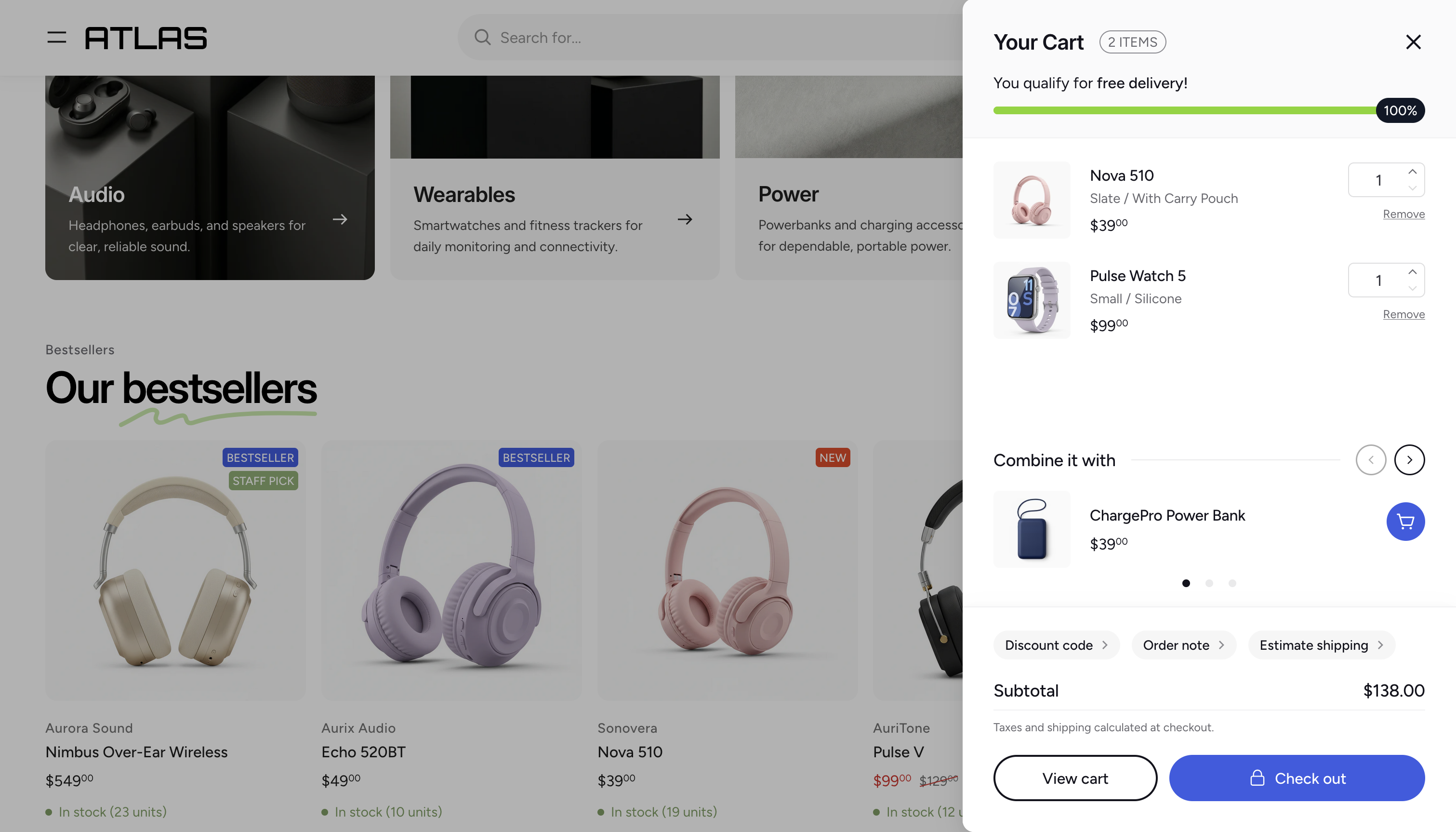
The cart drawer is a slide-out panel that appears from the right side of the screen when a customer adds a product to their cart or clicks the cart icon. It gives customers a quick overview of their cart without leaving the current page.
Enabling or disabling the cart drawer
The cart drawer is enabled by default. To disable it:
- Open the Theme Editor.
- In the section list, find the Overlay group.
- Click the Visibility toggle next to the Cart drawer section to hide it.
/cart page instead of opening the drawer.Free shipping bar
The cart drawer can display a free shipping progress bar at the top, showing customers how close they are to qualifying for free shipping. See Free shipping bar for setup instructions.
Product recommendations
You can display product recommendations inside the cart drawer to encourage customers to add more items.
- Open the Cart drawer section in the Theme Editor.
- In the Product recommendations field, select the products you want to recommend.
- Optionally, change the Heading (defaults to "Combine it with").
Cart actions
The cart drawer supports three optional actions that appear above the order total. Each one opens a nested panel when clicked.
Discount code
When Show discount code button is enabled, customers can apply a discount code directly in the cart drawer.
Order note
When Show order note is enabled, customers can attach a note to their order.
Shipping estimator
When Show shipping estimator is enabled, customers can estimate shipping costs before proceeding to checkout.
Checkout and view cart buttons
The bottom of the cart drawer can display two buttons:
- Show view cart button — adds a button that links to the full cart page (
/cart). - Show check out button — adds a button that takes the customer directly to checkout.
Order total
Two additional settings control what's shown in the order total area:
- Show total discount — displays the total discount amount applied to the cart.
- Show tax and shipping message — displays a message about taxes and shipping below the total.
Empty cart
When a customer opens the cart drawer with an empty cart, a message is displayed instead of the item list. You can customize this state:
- Empty cart heading — the main heading (defaults to "Your cart is empty").
- Empty cart message — an optional rich text message below the heading.
- Collections to recommend — select collections to suggest to customers so they can continue browsing.
Colors
You can customize the colors of the cart drawer buttons:
- View cart button / View cart button text — the background and text color of the view cart button. Only visible when the view cart button is enabled.
- Checkout button / Checkout button text — the background and text color of the checkout button. Only visible when the checkout button is enabled.