Products
Key features
Learn how to set up and display key product features on product pages
The Key Features block allows you to highlight up to three important product attributes directly on the product page. This helps customers quickly understand and compare products at a glance.
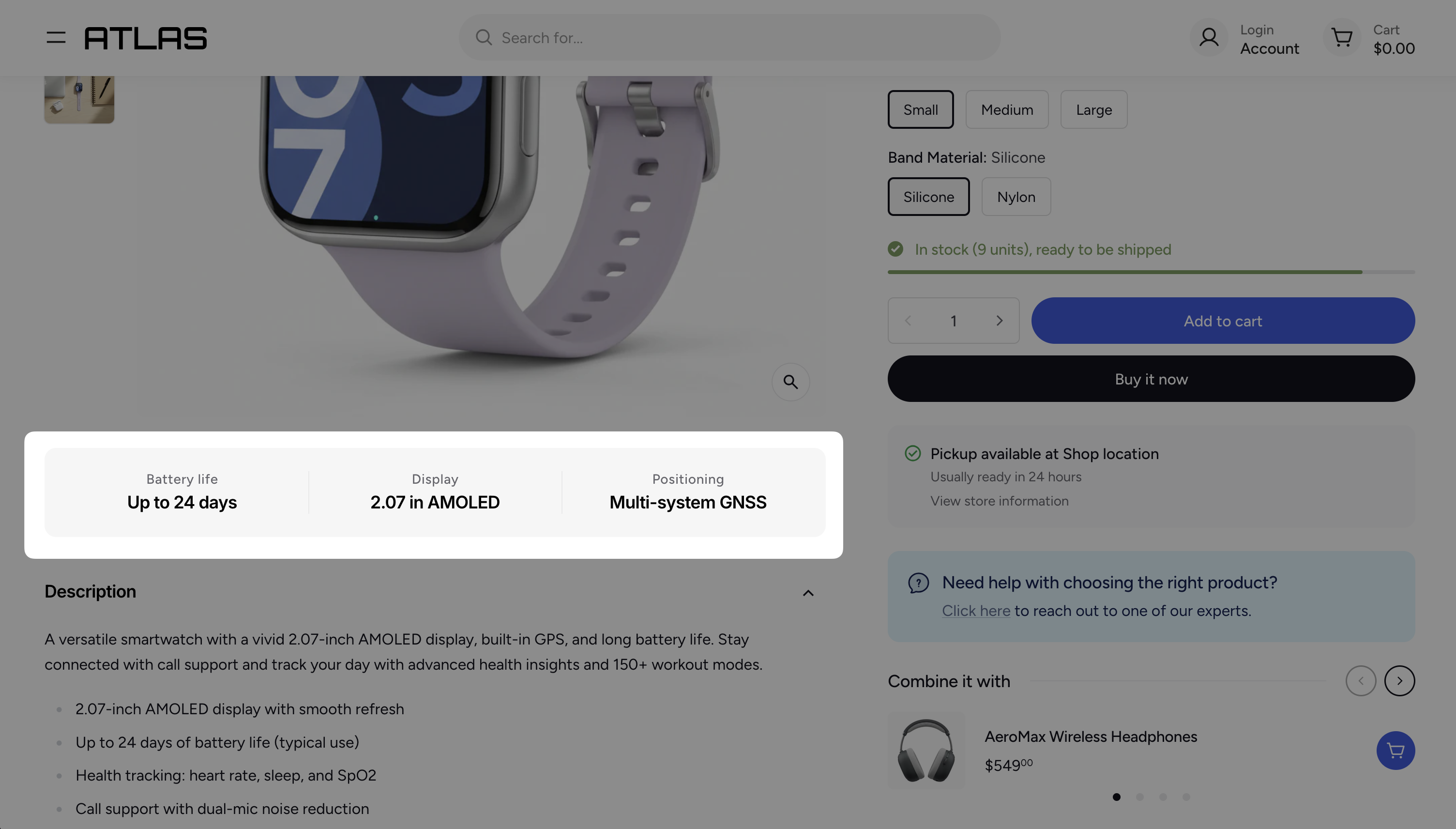
Setting up the Key Features
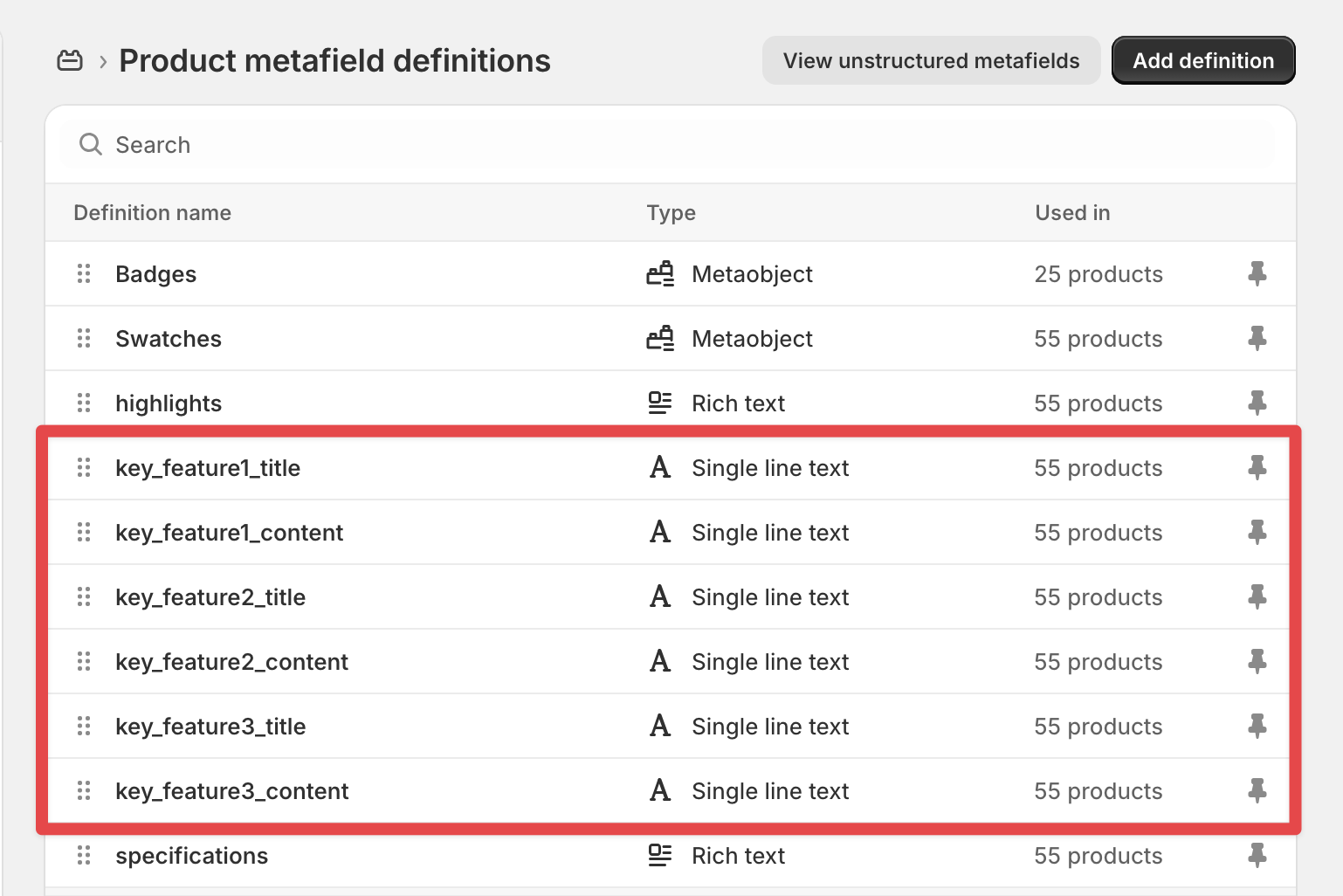
The Key Features block uses product metafields to store its content. Each key feature consists of a title and a description, so you will need to create a total of six metafields (two per feature).
Create product metafields
- In your Shopify admin, go to Settings > Custom data > Products.
- Click Add definition.
- Enter a name (e.g., "Key Feature 1 Title"), set the type to Single line text, and click Save.
- Repeat this for all six metafields.
Here is an example of a complete metafield setup:
Add the Key Features block to your product page
- Open the Theme editor and navigate to a Product page.
- In the Product section, click Add block.
- Select Key features.
Connect the metafields
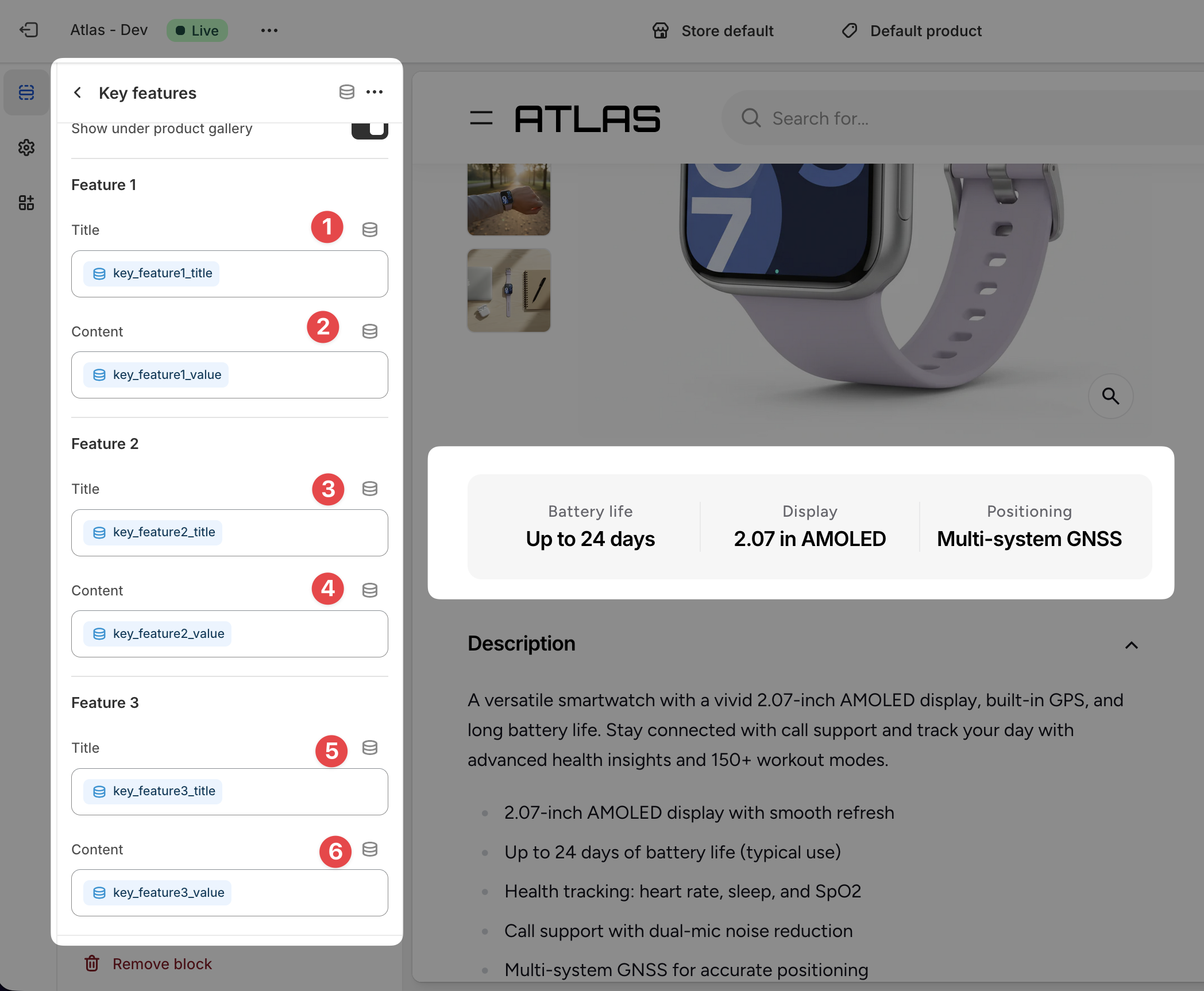
- Select the Key features block you just added.
- For each field, click the Connect dynamic source icon and assign the corresponding metafield you created earlier.
- Click Save.
Once configured, you can populate the key features for any product by editing its metafields in the Shopify admin. If the metafields are left empty for a given product, the Key Features block will be automatically hidden on that product page.