Specifications
The Specifications block displays product specifications as a neatly formatted table on your product pages. Atlas supports two configuration approaches: a single metafield for simplicity, or separate metafields for greater flexibility.
Single metafield (recommended)
The simplest way to manage specifications is with a single Rich text metafield. You enter your specifications as a bullet list, and the theme automatically converts them into a table on the product page.
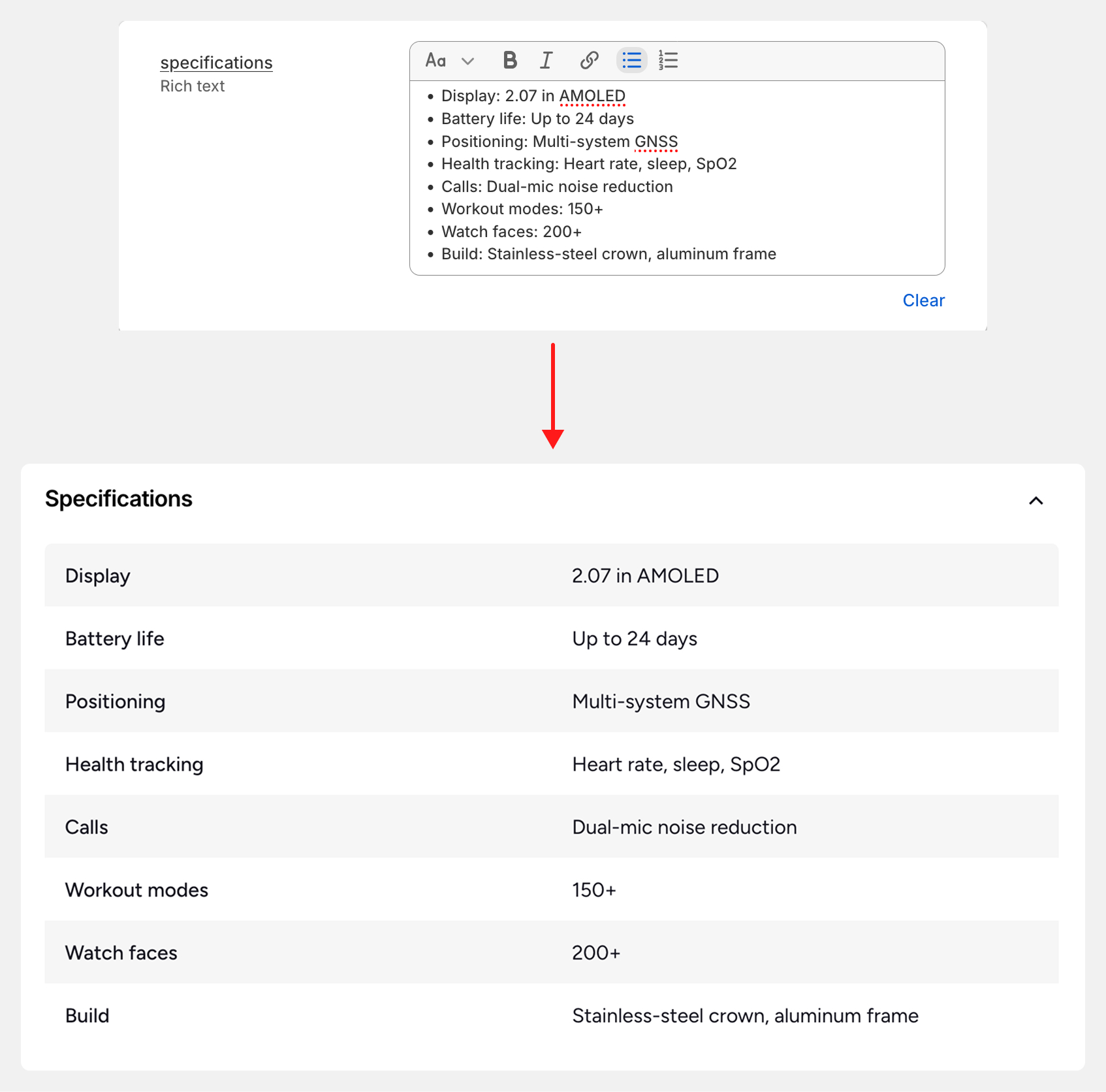
Create the specifications metafield
- In your Shopify admin, go to Settings > Metafields > Products.
- Click Add definition.
- Enter a name (e.g., "Specifications"), set the type to Rich text, and click Save.
Connect the metafield to the Specifications block
- Open the Theme editor and navigate to a Product page.
- Select the Specifications block in the Product section.
- Next to the Content field, click the Connect dynamic source icon and select the metafield you just created.
- Click Save.
Fill in your specifications
- In your Shopify admin, open the product you want to add specifications to.
- Scroll down to the Metafields area and click on the Specifications field.
- Enter your specifications as a bullet list using the
Label: Valueformat:
- Weight: 500g
- Material: Metal, Wood
- Color: Red
- Click Save. The specifications will now appear as a table on the product page.
Separate metafields
Alternatively, you can create a dedicated metafield for each specification type (e.g., one for "Weight", one for "Material", one for "Color"). This approach is useful when you want to reuse these metafields for other purposes, such as building collection filters.
Create your specification metafields
- In your Shopify admin, go to Settings > Metafields > Products.
- For each specification type, click Add definition and create a metafield.
- Note the key of each metafield (e.g.,
custom.weight,custom.material).
Define the metafields in theme settings
- In the Theme editor, open Theme settings > Specifications.
- In the text field, enter the key of each metafield on a separate line:
custom.weight
custom.material
custom.battery_life
Customize the specification labels (optional)
By default, the theme derives the display label from the metafield key. For example, custom.battery_life will appear as "Battery life" in the table.
To set a custom label, prepend the metafield key with your preferred name followed by a colon:
custom.weight
custom.material
Battery life (in days):custom.battery_life
In this example, the custom.battery_life specification will display as "Battery life (in days)".